
01
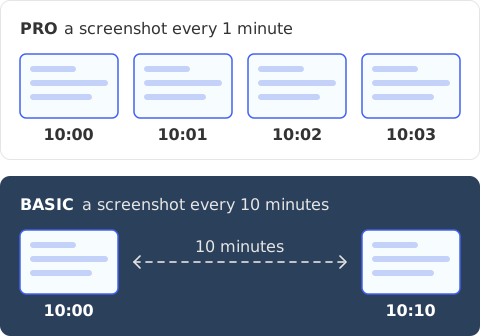
Take screenshots as often as every minute, on Pro
Take screenshots of each employee's whole screen every 10 minutes on Basic, or as often as every minute on Pro.
Get screenshots of your employees in realtime: every 10 minutes on Basic, every minute on Pro.
 Worked HoursRegular ScreenshotsComputer Activity Tracking
Take screenshots of each employee's whole screen every 10 minutes on Basic, or as often as every minute on Pro.
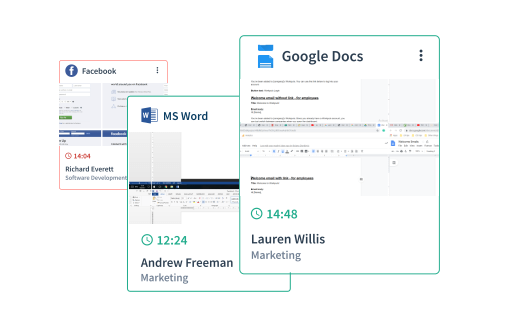
Blurring covers each whole capture, not part of it.
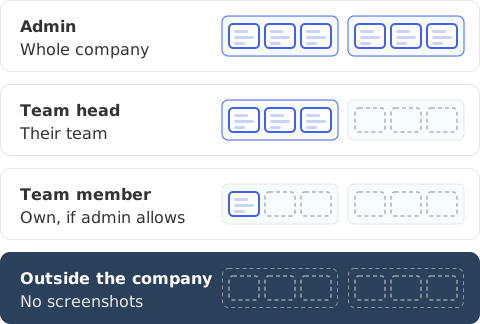
An admin sees the whole company's tracking data, a team head sees the team's, and a team member sees their own when the admin allows it. No one outside the company can see it.
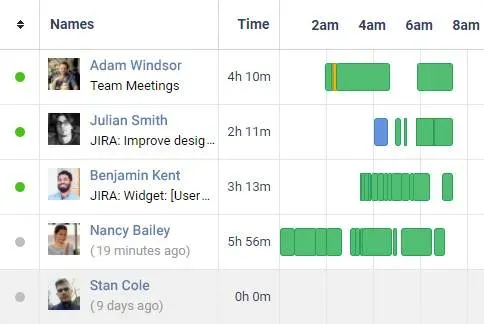
Workfolio's daily timeline is a visual log of daily activities for every employee, split into productive time, idle time and break time.
See for yourself how your employees' work unfolds over time. On Pro, get short time-lapse videos made from the screenshots.
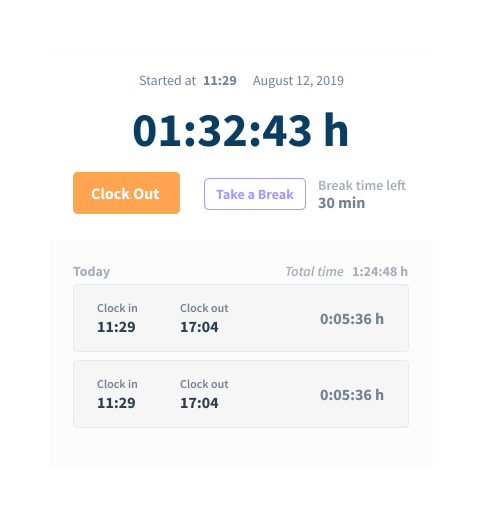
Workfolio tracks while the employee is clocked in, and takes the screenshots in that time. Worked time runs from clock-in to clock-out, less breaks; time taken with Take a Break counts as break time.
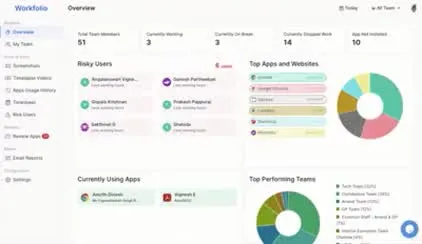
Create your free account. Under Settings, then Manage Employees, invite your team by email or share an invite link, and have each member use the desktop app. On Pro, set how often screenshots are taken, from every minute to every hour. Open the Screenshots page to see them.
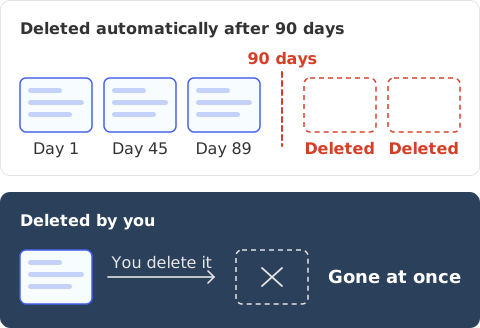
Captured screenshots are deleted automatically after 90 days. A screenshot you delete is deleted at once from active systems, and no backup copy of it is kept.

“Workfolio helped us gain reassuring proof of work in changing situations. Surprisingly, our team productivity improved 28% while working remote.”


Unlimited Users. Cancel Anytime. Free Forever.
Create free account-p-500_ZzsNpi.webp)
